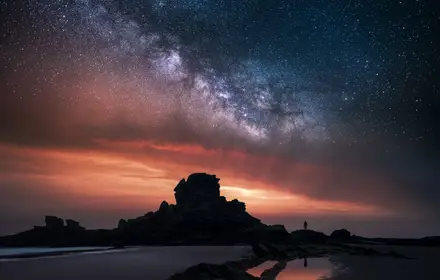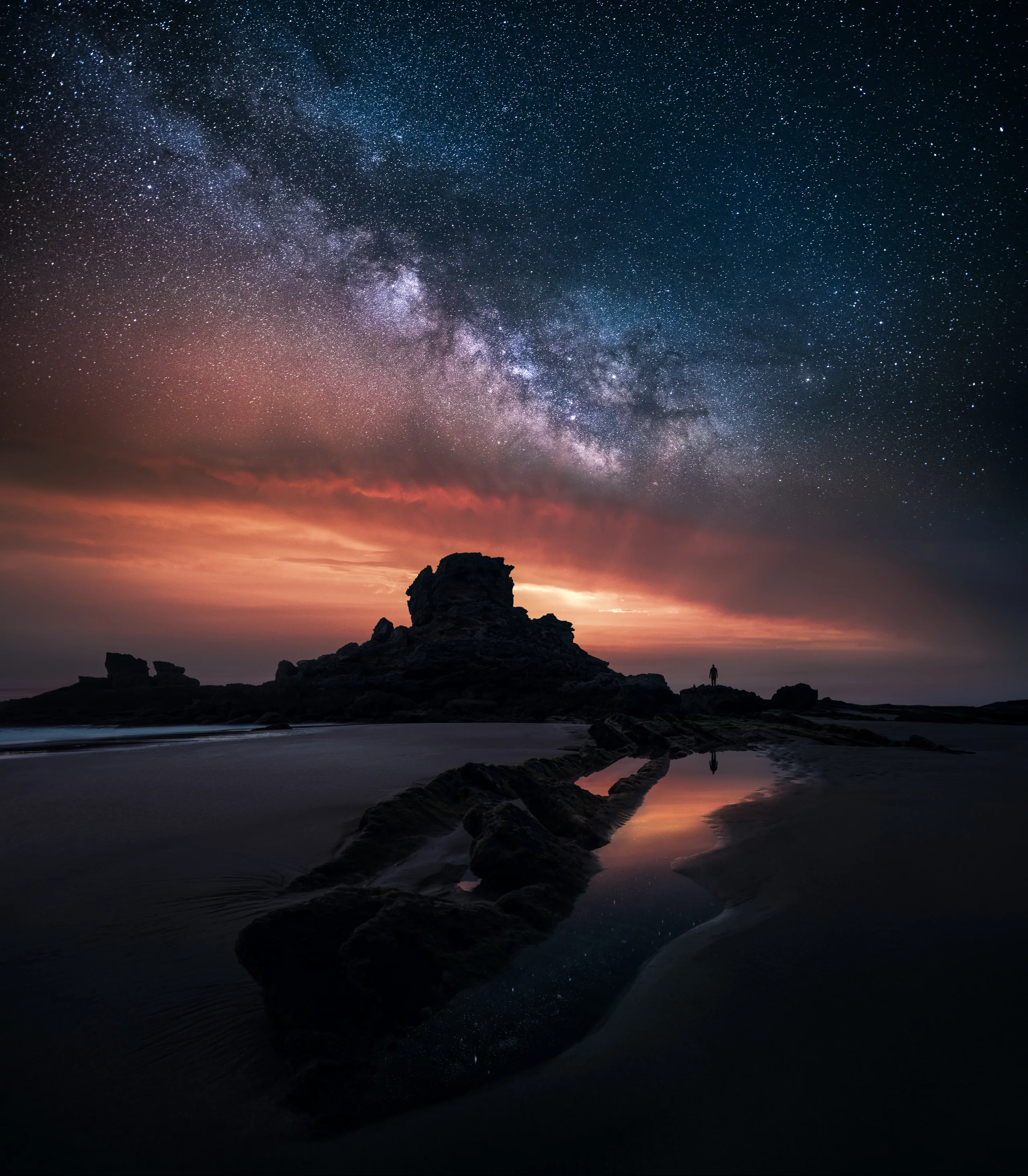
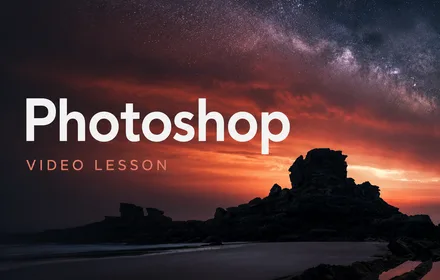
Day-to-night composite - Milky Way over coastal sunset, by Mikko Lagerstedt
Composite Photography · A video course

Create unique composite photography.

A 16-lesson video course covering the complete composite workflow — from idea and planning, to capture, to Lightroom and Photoshop blending, finishing and critique. The same end-to-end process behind my fine art work.

  • Complete workflow — idea, planning, capture, edit and finish in 16 lessons.
  • Practice files included — work along with the actual source frames I edit.
  • Seven Photoshop blending lessons — copy blend, mask match, reflection fixes and more.
  • Lightroom + Photoshop workflow — covered as one continuous process.
  • Lifetime access — watch at your own pace, return as often as you need.
  • Subtitles included: follow the lessons with captions in 12 languages.
A note before you begin

A unique composite is not two pictures stuck together. It's one continuous moment — built from frames the camera could never capture in a single exposure. This course is the complete workflow behind that moment — from the first idea to the final, finished frame.

— Mikko Lagerstedt
What you'll make

Create unique composite photography.

The course is built around a complete, repeatable workflow — the same one behind the image below. By the end you'll be making composites that look like a single, believable moment, not two pictures stuck together.

Milky Way over coastal sunset - Two Worlds, composite by Mikko Lagerstedt
Coastal · Two Worlds
Vision·Capture·Blend·Finish
The method

From idea to final image, in four clear phases.

The course is structured the same way I work in my own studio — vision before capture, capture before edit, edit before finish. Sixteen lessons grouped into four phases that every composite passes through.

01 Phase one

Find the Vision

Every good composite starts as an idea, not an accident. How I generate concepts, develop the art of seeing, and frame a scene before the camera comes out.

  • iCourse overview & mindset
  • iiTen ways to generate ideas
  • iiiComposition & art of seeing
02 Phase two

Plan & Capture

A unique composite lives or dies in the field. Gear setup, lock-down rules for matched frames, and how to leave a location with everything you need to blend later.

  • ivPlanning the shoot & gear
  • vCapture workflow in the field
03 Phase three

Blend in Photoshop

The heart of the course. One Lightroom pass plus seven Photoshop sessions: copy blend, mask matching, distraction removal, light rays, Milky Way boost, balance, colorize and reflection fixes.

  • viPrimary Lightroom edit pass
  • viiSeven Photoshop blending lessons
04 Phase four

Finish & Critique

Final Lightroom adjustments to unify the image, then a full photo critique on the finished frame — the part most courses leave out.

  • viiiFinal adjustments in Lightroom
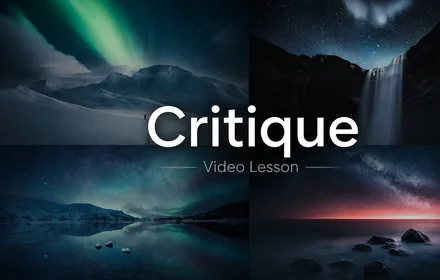
  • ixPhoto critique & final review
The curriculum

Sixteen lessons. One complete workflow.

Each lesson is recorded over my shoulder, in real time, on the same files you can download and edit alongside me. No fluff, no filler — every lesson exists because it answers a question that came up while making real composites.

16·
Video lessons
4
Phases
7
Photoshop modules
·files
Source files included
iii Blend in Photoshop 8 lessons · The edit
WHAT IS INCLUDED

Everything you need to build a finished composite from real photographs.

This is not AI. This is a human-made course based on a real fine art editing workflow, using the actual files from my own process.

16
Video lessons

Follow the full edit over the shoulder, step by step, from planning and capture to the finished image.

7
Photoshop editing modules

Learn the core techniques: blending, masking, matching light, removing distractions, color balancing, reflections, light rays, and Milky Way enhancement.

Source files included

Work with the same day and night RAW files used in the course, so you can pause, rewind, edit along, and compare your result.

4
Clear workflow phases

Vision · Capture · Blend · Finish. A structured process you can use again on your own composite images.

~
Critique session

See the final image reviewed through an editor’s eye, with attention to composition, mood, balance, and finishing details.

Lifetime access

One payment. No subscription. No expiry. Future course updates are included free of charge.

12
Subtitled languages

Subtitles are available in German, Spanish, Finnish, French, Italian, Japanese, Korean, Dutch, Polish, Portuguese, Swedish, and Chinese.

Testimonials & Reviews

Direct feedback from photographers using the course on their own files.

★ ★ ★ ★ ★

"This tutorial makes you not only better in post-production but cuts deep into photography skills itself. I can say that what you have offered to us has much more value than what you charge!"

Portrait of Peter D.
Peter D.
★ ★ ★ ★ ★

"This course gave me so much inspiration and ideas for the future. Thank you so much! I recommend this course to anyone interested in fine art landscape photography. The course is easy to follow with clear lessons, and no part is overlooked."

Portrait of Riku N.
Riku N. @rikunorakari
★ ★ ★ ★ ★

"The tutorial was really good! It definitely changed how I do photography, from planning to editing, even when i’m not doing composites. I just watched it and tried with the sample images. It was great!"

Portrait of Hendrik M.
Hendrik M. @hendrik.mandla
★ ★ ★ ★ ★

"I can say this is an amazing course, not just for learning about composition and editing but also for getting inspiration to explore and create new ideas!"

Portrait of Mandip M.
Mandip M. @mandipmann10
Portrait of Mikko Lagerstedt
From the creator

This is how I actually make my own fine art composites.

The composite work has been part of my portfolio for over a decade. What you'll learn here is not a trick or a filter — it's the same process I use to make the images that hang on collectors' walls.

I built this course because most composite tutorials skip the parts that actually matter: planning the frame, locking down the camera, matching masks, and finishing with restraint. The seven Photoshop lessons exist because each one is a question I had to answer the hard way.

If you've ever felt that the night sky deserved a better foreground than the one you had — this course was made for that exact gap.

— Mikko Lagerstedt
A human process

Made by hand, taught from experience.

This course is not built around shortcuts, formulas or isolated Photoshop tricks. It is based on the same real process I use when creating my own fine art composites.

I show the workflow step by step so you understand what is being done, but more importantly why each decision affects the feeling, believability and finish of the final image.

The goal is not to make your images look like mine. The goal is to help you see, plan, blend and finish your own atmospheric photographs with more intention.

  • Taught by the photographer who created the final image
  • Based on a real portfolio workflow, not a generic exercise
  • Practical decisions explained in context
  • Built for photographers who want their images to feel believable, personal and finished

A process made by a person, for photographers who care about the feeling of the final image.

Will it work on your setup?

Lightroom Classic
Yes · primary edit pass
Adobe Photoshop
Yes · any recent version
Source files
Included · RAW & PSD
Subtitles included
12 languages · captions included
Questions

Practical, before you commit.

The full Composite Photography video course: all 16 lessons (Introduction, Ten Ideas, Composition, Planning & Gear, Capture, Lightroom edit, seven Photoshop blending modules, Final Adjustments, and Photo Critique), the source files to work along with, plus lifetime access. One-time payment, every future revision of the course included at no extra cost.
Yes — eight of the sixteen lessons are taught in Photoshop. Any recent version works, including the Creative Cloud Photography plan (Lightroom + Photoshop together). The Lightroom-only lessons cover the primary edit pass and the final adjustments.
No. The course assumes you can move around Lightroom and Photoshop comfortably, but it starts from the very beginning of the composite workflow — generating ideas and reading a scene. The Photoshop sessions build from a single copy-blend up to the more nuanced moves, with the same files in front of you the whole time.
No. The course teaches a complete composite workflow that applies broadly — sky replacements, fog plates, figure work, reflections, and any composite that needs to feel like a single believable moment. The walkthrough uses an atmospheric example because it exercises every technique in the system at once.
Instant access after purchase. You can stream every lesson from your account or download the MP4 files to keep offline. The source files are delivered as a single .zip — no streaming platform, no expiry, no lock-in.
No. A single one-time payment of 69€ (~$79). You keep lifetime access to the videos and source files, with no recurring fees. Every future revision of the course is delivered to you free of charge.
Yes. The course includes subtitles in 12 languages: German, Spanish, Finnish, French, Italian, Japanese, Korean, Dutch, Polish, Portuguese, Swedish and Chinese.
If composite work is your main interest, this course alone is the right purchase. If you also want the rest of my teaching — EPIC presets, Borealis aurora system, the Star Photography masterclass and the Atmosphere field guide — the Complete Bundle is 149€ and includes this course. Either is valid; pick the one that matches what you actually need this year.
Begin
Composite Photography

Make composites that look like one continuous moment.

Get all sixteen lessons, the seven Photoshop blending modules, the practice files, and the photo critique — the complete workflow behind unique composite photography, from first idea to finished frame.

69€once
~ $79 · one-time payment
Lifetime access · Every future update included
See the curriculum

Instant access·Secure checkout·Practical support included
Works with Lightroom Classic and Adobe Photoshop

If you're going further

This course is the composite half. The Complete Bundle is the full learning path.

Composite Photography teaches the technique. The Complete Bundle adds EPIC presets for editing, Borealis presets for aurora, the Star Photography masterclass, and the Atmosphere field guide — everything I teach, in one purchase.

See the Complete Bundle · 149€ →
Course alone
69€
Complete Bundle
149€
Course inside the bundle
Yes
Additional value
+ 4 products
Composite Photography — 16 video lessons · complete workflow · lifetime
69€~ $79
Get the course